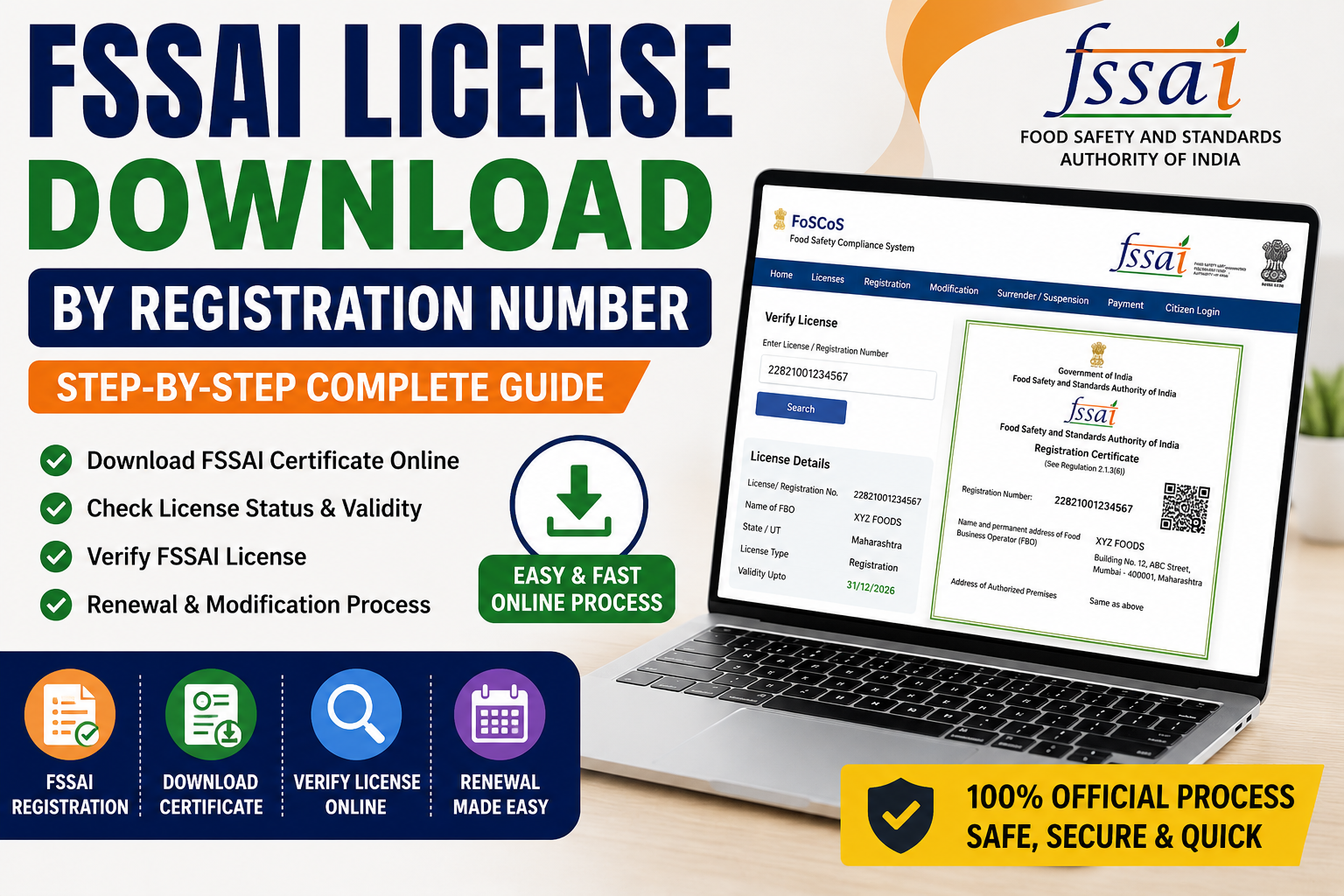
If you are a food business owner in India, having an FSSAI license or registration is mandatory for running your business legally. Many business owners often need to download their FSSAI certificate for tender applications, online marketplaces, bank verification, inspections, renewals, or customer trust.
One of the most searched queries today is “fssai license download by registration number” because people want a quick and simple method to access their food license certificate online.
In this detailed guide, you will learn:
- How to download FSSAI license by registration number
- How to check FSSAI registration online
- Difference between FSSAI registration and license
- Steps to recover lost FSSAI certificate
- How to verify FSSAI license number online
- Common issues during FSSAI certificate download
- Benefits of food license registration
- FAQs related to FSSAI registration and food licence
Whether you own a restaurant, tea shop, cloud kitchen, grocery store, food manufacturing unit, bakery, dairy business, home kitchen, or online food business, this guide will help you.
What is FSSAI?
FSSAI stands for the Food Safety and Standards Authority of India. It is the government authority responsible for regulating and monitoring food safety in India.
Every food business operator (FBO) involved in manufacturing, processing, storage, transportation, distribution, or sale of food products must obtain:
- FSSAI Registration
- FSSAI License
- Food Licence
The authority issues a unique 14-digit FSSAI license number which helps identify registered food businesses.
What is FSSAI License Download by Registration Number?
The term fssai license download by registration number means downloading your FSSAI certificate online using your registration or license number.
If you already have:
- FSSAI registration number
- Application reference number
- License number
Then you can easily download your certificate from the official FSSAI portal.
This feature is useful when:
- Your certificate is lost
- You need soft copy urgently
- You want to print the license
- You need certificate for GeM portal
- You require food licence for inspections
- You want to verify business authenticity
Types of FSSAI License
Before learning the download process, it is important to understand the three major categories of FSSAI registration.
1. Basic FSSAI Registration
Basic registration is for small food businesses with annual turnover up to ₹12 lakh.
Suitable for:
- Tea shops
- Small grocery stores
- Home kitchens
- Petty retailers
- Street food vendors
- Small food sellers
2. State FSSAI License
State license is required for medium-sized food businesses with turnover above ₹12 lakh and up to ₹20 crore.
Suitable for:
- Restaurants
- Medium food manufacturers
- Storage units
- Transporters
- Hotels
- Distributors
3. Central FSSAI License
Central license is mandatory for large businesses with turnover above ₹20 crore or businesses involved in import/export.
Suitable for:
- Importers
- Exporters
- Large manufacturers
- Airports
- Seaports
- Large food chains
- E-commerce food operators
Documents Required for FSSAI Registration
The documents vary according to the type of license.
Basic FSSAI Registration Documents
- Aadhaar card
- PAN card
- Passport-size photo
- Business address proof
- Mobile number and email ID
State or Central License Documents
- PAN card of business
- Aadhaar card
- GST certificate
- Business registration proof
- Partnership deed or incorporation certificate
- Food safety management plan
- Address proof
- Electricity bill
- NOC if applicable
- Product details
- Import export code (for import/export businesses)
Step-by-Step Process for FSSAI License Download by Registration Number
Now let us understand the complete process in detail.
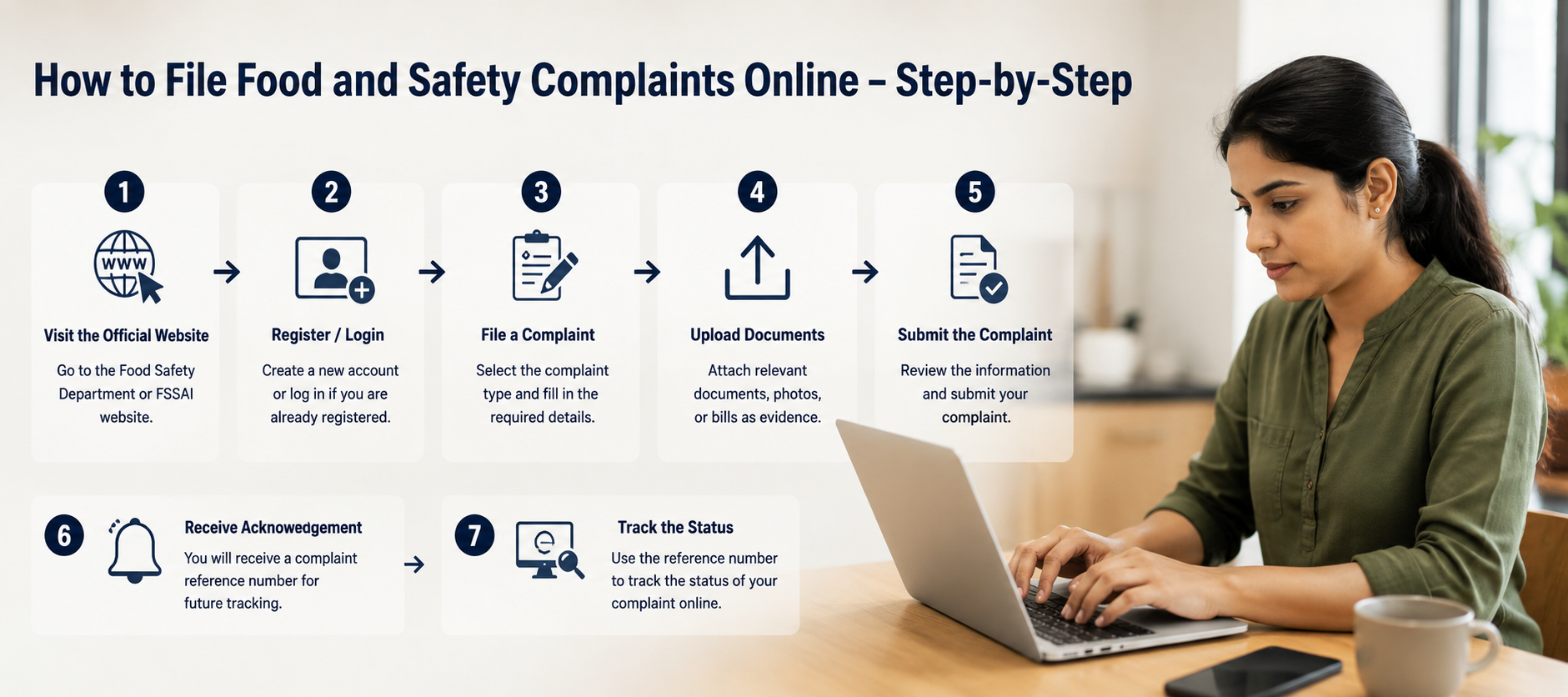
Step 1: Visit the Official FSSAI Portal
Open the FoSCoS portal in your browser.
The FoSCoS portal is the official platform for:
- FSSAI registration online
- Food licence apply
- FSSAI license apply online
- Certificate download
- Renewal
- Modification
- License verification
Step 2: Click on “Sign In”
Login using:
- Username
- Password
- Captcha code
If you forgot your credentials, you can recover them using your registered mobile number or email.
Step 3: Enter Registration Number
After login, go to:
- Issued Licenses
- Registration Dashboard
- License/Registration Section
Enter your:
- FSSAI registration number
- FSSAI license number
- Application reference number
Step 4: Search the License
Click on the search button.
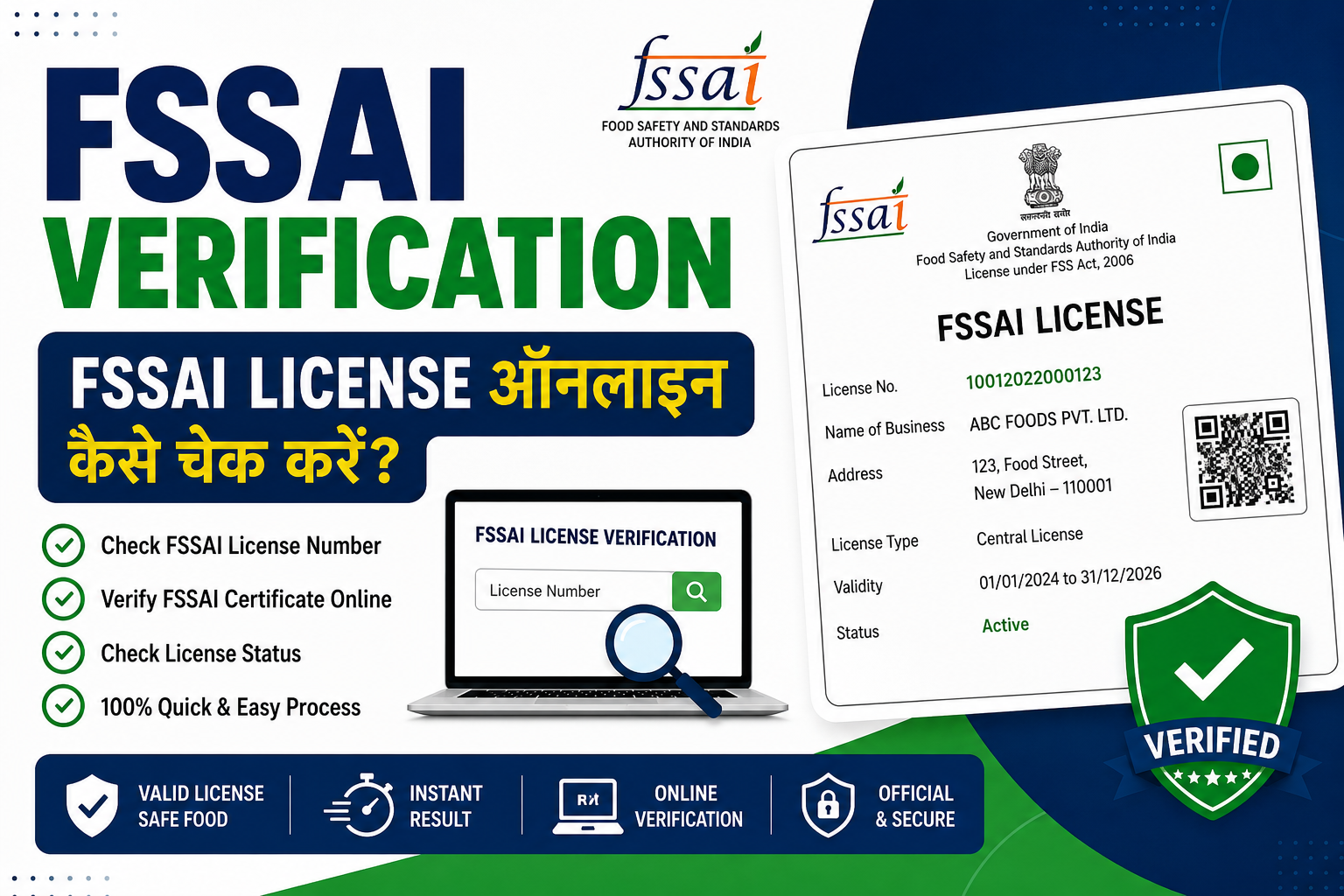
Your food licence details will appear including:
- Business name
- License number
- Address
- Validity
- License type
- Category
Step 5: Download FSSAI Certificate
Click on:
- Download Certificate
- Print Certificate
- View License
The certificate will download in PDF format.
You can:
- Save it on your device
- Print hard copy
- Share digitally
How to Download FSSAI License Without Login
Sometimes users only have the registration number but no login credentials.
In such cases:
- Visit FoSCoS portal
- Open “Check License/Registration Status”
- Enter FSSAI registration number
- Complete captcha verification
- View business details
- Download available certificate
This method helps users recover lost certificates quickly.
How to Check FSSAI License Status Online
You can also verify whether your license is active or expired.
Steps to Check Status
- Visit official portal
- Click “License/Registration Status”
- Enter 14-digit FSSAI number
- Click search
You can see:
- Active status
- Expiry date
- Business details
- License type
- Registration validity
Benefits of FSSAI Registration
1. Legal Compliance
FSSAI registration helps businesses operate legally under food safety laws.
2. Builds Customer Trust
Customers trust businesses displaying valid FSSAI license numbers.
3. Easier Business Expansion
Food licence helps in:
-
Opening new branches
-
Selling online
-
Joining marketplaces
-
Participating in government tenders
4. Improves Brand Reputation
A certified food business gains more credibility.
5. Required for Online Food Platforms
Platforms like food delivery apps often require FSSAI registration.
6. Essential for GeM Registration
Food product sellers on government marketplaces usually require food license proof.
Difference Between FSSAI Registration and FSSAI License
| Feature | FSSAI Registration | FSSAI License |
|---|---|---|
| Suitable for | Small businesses | Medium and large businesses |
| Turnover limit | Up to ₹12 lakh | Above ₹12 lakh |
| Certificate type | Registration certificate | State/Central license |
| Number format | 14-digit | 14-digit |
| Authority | Local authority | State/Central authority |
Common Problems While Downloading FSSAI Certificate
Many users face issues during certificate download. Here are the common problems and solutions.
1. Invalid Registration Number
Reason
-
Incorrect number entered
-
Extra spaces
-
Wrong license number
Solution
-
Enter correct 14-digit number
-
Check old certificate or email
2. Login Issues
Reason
-
Wrong password
-
Forgotten username
Solution
-
Use “Forgot Password” option
-
Recover via mobile/email
3. Certificate Not Showing
Reason
-
License pending approval
-
Suspended license
-
Expired certificate
Solution
-
Check application status
-
Contact authority if required
4. PDF Download Error
Solution
- Try different browser
- Clear cache
- Use updated browser version
- Enable pop-ups
How to Apply for FSSAI License Online
If you do not yet have an FSSAI registration, follow these steps.
Step 1: Visit FoSCoS Portal
Open the official food licence registration portal.
Step 2: Select State and Business Type
Choose:
-
State
-
Nature of business
-
Annual turnover
Step 3: Fill Application Form
Enter:
-
Business details
-
Owner information
-
Address
-
Product category
Step 4: Upload Documents
Upload required documents.
Step 5: Pay Fees
Pay the government fee online.
Step 6: Submit Application
After submission, you will receive:
-
Application reference number
-
Acknowledgement receipt
Step 7: Download Certificate After Approval
Once approved, you can use the FSSAI license download by registration number process.
FSSAI Registration Online for Different Businesses
Restaurant
Restaurants require FSSAI license depending on turnover and seating capacity.
Cloud Kitchen
Online food businesses must obtain food licence registration.
Home Kitchen
Even home food sellers need basic FSSAI registration.
Grocery Store
Retail food shops require food license online registration.
Bakery
Bakeries must obtain proper FSSAI food license.
Dairy Business
Milk and dairy businesses need valid registration.
Food Manufacturing Unit
Manufacturing businesses generally require state or central license.
Importance of Displaying FSSAI License Number
Every food business must display its FSSAI number on:
- Bills
- Packaging
- Menu cards
- Signboards
- Food packets
- Online listings
Failure to display the number may lead to penalties.
How to Renew FSSAI License
Renew FSSAI licenses have limited validity. Businesses must renew before expiry.
Renewal Steps
- Login to FoSCoS portal
- Select renewal option
- Verify business details
- Upload updated documents
- Pay renewal fees
- Submit application
After approval, download updated certificate.
Penalty for Operating Without FSSAI License
Running a food business without registration can result in:
- Heavy penalties
- Legal action
- Business closure
- Product seizure
Therefore, every food business operator should obtain food licence registration.
Tips for Safe FSSAI Certificate Management
Keep Digital Backup
Always save certificate in:
-
Mobile
-
Laptop
-
Cloud storage
-
Email
Note Down Registration Number
Maintain a record of:
-
License number
-
Login credentials
-
Expiry date
Renew Before Expiry
Apply renewal at least 30 days before expiry.
Use Correct Business Information
Ensure business name and address are accurate.
Conclusion
The process of fssai license download by registration number has become simple, fast, and completely online through the official FoSCoS portal. Food business owners can easily download, verify, print, and manage their FSSAI certificates anytime using their registration or license number.
Whether you run a tea shop, restaurant, bakery, cloud kitchen, grocery store, food manufacturing unit, or online food business, having a valid FSSAI registration or food licence is essential for legal compliance and customer trust.
An FSSAI license not only helps businesses operate legally but also improves brand credibility, supports business growth, and enables sellers to participate in online marketplaces and government tenders.
FAQs – FSSAI License Download by Registration Number
1. How can I do FSSAI license download by registration number?
You can download your FSSAI certificate by visiting the official FoSCoS portal, entering your registration or license number, and downloading the PDF certificate online.
2. What is the official website for FSSAI registration online?
The official website for FSSAI registration and food licence services is the FoSCoS portal operated by the Food Safety and Standards Authority of India.
3. Can I download FSSAI certificate without login?
In some cases, you can verify and access certificate details using the registration number through the public verification section on the portal.
4. What is an FSSAI registration number?
It is a unique 14-digit number issued to every registered food business operator in India.
5. Is FSSAI registration mandatory for small food businesses?
Yes, even small food businesses like tea shops, home kitchens, and street food vendors require basic FSSAI registration.
6. How can I check FSSAI license validity online?
You can verify the validity by entering your FSSAI number in the license verification section of the official portal.
7. What documents are required for FSSAI registration?
Common documents include Aadhaar card, PAN card, address proof, business proof, and passport-size photographs.
8. Can I apply for food licence online?
Yes, the complete food license apply process is available online through the FoSCoS portal.
9. What is the difference between FSSAI registration and FSSAI license?
Basic registration is for small businesses, while state and central licenses are for medium and large food businesses.
10. How long does it take to get FSSAI approval?
Approval generally takes:
- 7–10 days for basic registration
- 15–30 days for state license
- 30–60 days for central license
11. What should I do if I forget my FSSAI login password?
You can reset your password using the registered mobile number or email ID through the “Forgot Password” option.
12. Can I renew my FSSAI license online?
Yes, FSSAI renewal can be completed online before the expiry date through the FoSCoS portal.
13. Is GST mandatory for FSSAI registration?
GST is not mandatory for every category, especially for small businesses operating below the GST threshold.
14. Can one business have multiple FSSAI licenses?
Yes, separate licenses may be required for different business locations or operations.
15. What happens if I operate without FSSAI registration?
Operating without a valid food licence may lead to penalties, legal action, or closure of the business.